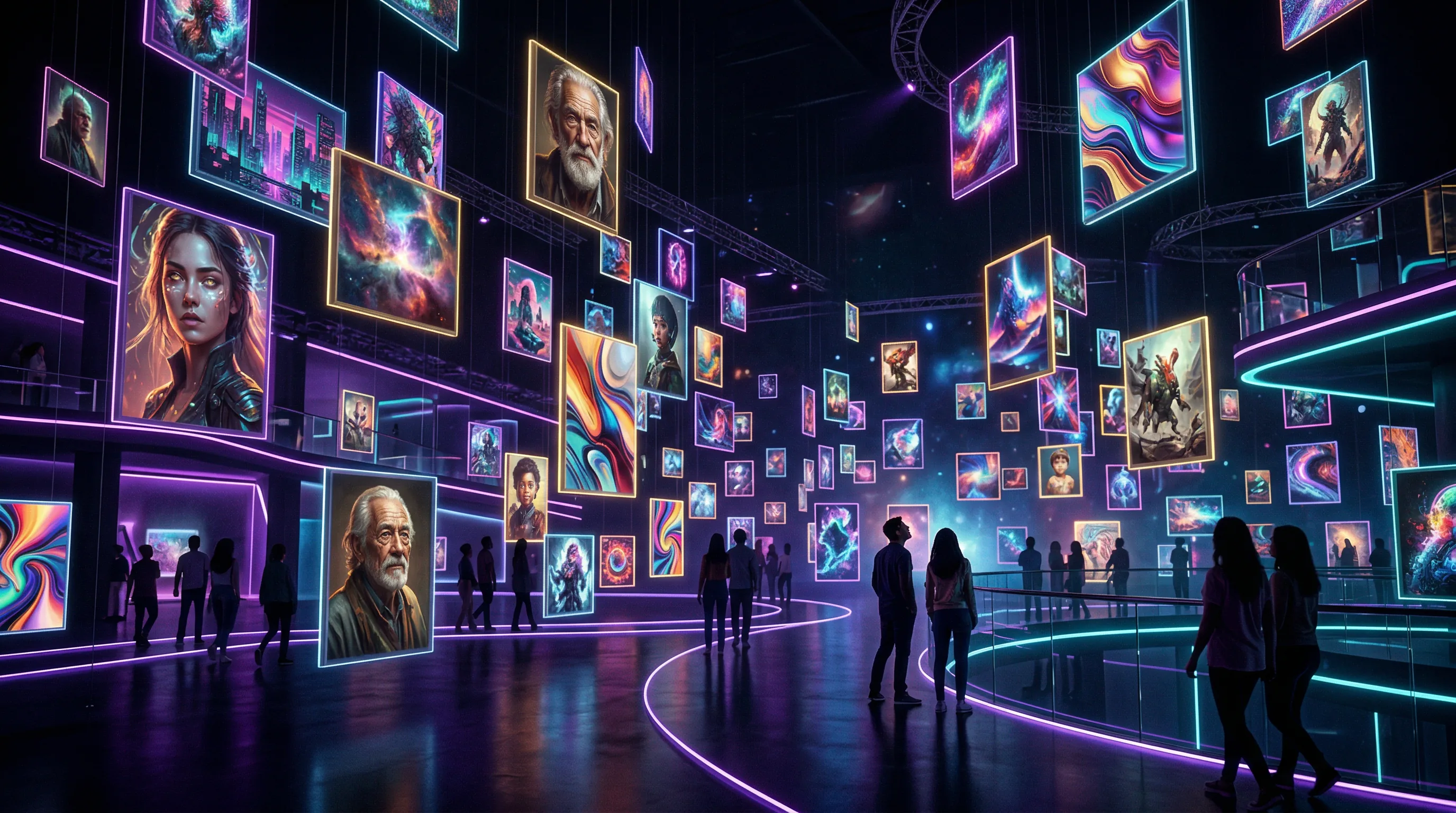
What You Actually Need to Know About AI Image Generation: Create Stunning Visuals That Look Professional
AI image generation lets you create professional-quality visuals — from photorealistic product shots to stylized illustrations — in seconds instead of hours. But the gap between what's possible and what most people actually produce is enormous.

The Artifio editorial team publishes research, tutorials, and release notes covering image, video, and audio generation models. All posts are reviewed by an editor before publishing.
AI image generation lets you create professional-quality visuals — from photorealistic product shots to stylized illustrations — in seconds instead of hours. But the gap between what's possible and what most people actually produce is enormous. Weird hands, misspelled text, cookie-cutter aesthetics, and inconsistent character designs plague creators daily. This guide covers everything you need to create AI visuals that look polished, professional, and intentional.
Whether you're creating product photography, social media graphics, blog illustrations, or marketing materials, the techniques here apply across every major AI image platform. The principles are universal even though the specific tools evolve rapidly.
The State of AI Image Generation in 2026
AI image generation has improved dramatically in the past two years. What was experimental in 2024 is now production-ready for many commercial use cases. But understanding the landscape helps you pick the right approach for your specific needs.
What AI Image Tools Can (and Can't) Do
AI image generation excels at:
- Concept visualization: Turning descriptions into images faster than any human artist
- Style variation: Generating dozens of aesthetic options in minutes
- Background generation: Creating environments, scenes, and settings from text
- Illustration: Producing stylized, artistic imagery for blogs, social media, and presentations
- Product mockups: Placing products in realistic lifestyle scenes
AI image generation still struggles with:
- Text rendering: Spelling words correctly inside images remains unreliable
- Precise anatomy: Hands, fingers, and body proportions, though much improved, still fail occasionally
- Exact brand matching: Reproducing specific logos, brand elements, or existing characters precisely
- Complex spatial reasoning: Arranging multiple objects in physically accurate ways
According to Google Research on diffusion models, the underlying technology continues to advance rapidly, with each generation of models addressing previous limitations more effectively.
Key Model Types: Diffusion, GANs, and Transformers
Three major architectures power today's AI image generation:
Diffusion models are the current leaders. They work by gradually removing noise from a random image, guided by your text prompt. They produce the highest quality results for most use cases and dominate the market.
GANs (Generative Adversarial Networks) use two competing neural networks — one generates, one critiques. They're fast and produce sharp images but can be less flexible than diffusion models for text-guided generation.
Transformer-based models process images as sequences of tokens, similar to how language models process text. They're emerging as powerful alternatives, particularly for tasks that require understanding both text and visual concepts simultaneously.
Understanding these differences helps you choose the right tool. For photorealism, diffusion models typically lead. For speed, GANs can be faster. For complex scene composition, transformer models are showing promise.
The Most Common AI Image Problems (and Fixes)
Let's tackle the frustrations that make people give up on AI image generation.
Fixing Distorted Hands and Anatomy
The infamous "AI hands" problem has become a meme for good reason. Extra fingers, merged hands, and impossible joint angles remain the most visible artifact of AI image generation. But the situation has improved dramatically, and several techniques minimize the issue:
- Negative prompts: Add "deformed hands, extra fingers, merged fingers, bad anatomy, disfigured" to your negative prompt
- Explicit hand positions: Instead of leaving hands to chance, specify: "hands in pockets," "arms crossed," "holding a coffee mug with right hand"
- Strategic composition: Wide shots, waist-up framing, and poses that naturally minimize hand visibility
- Inpainting: Generate the full image, then use inpainting to regenerate just the hand area with a focused prompt
- Model selection: Newer model versions consistently handle anatomy better — test and use the latest available
For a close look, see our complete guide on fixing AI image hands and anatomy.
Getting Text Right in AI Images
Most AI image models process text as visual patterns, not language. They don't understand spelling — they approximate what letters look like. The result: "Belive in Youself" instead of "Believe in Yourself."
The best current approaches:
- Generate text-free: Create your image without any text, then add typography in a design tool. This is the most reliable method by far.
- Short text only: Single words or very short phrases (2-3 common words) succeed more often
- Test newer models: Some latest-generation models have significantly improved text rendering capabilities
- Multiple attempts: Generate 5-10 versions and select the one where text rendered correctly
We cover this in detail in our guide to AI image text rendering.
Avoiding the "AI Look": Homogeneous Aesthetics
The "AI look" is instantly recognizable: hyper-detailed, oversaturated, cinematic lighting on everything, a slight dreamlike quality. It's become so common that it actually undermines the quality of AI-generated images because viewers immediately think "that's AI."
Breaking the AI aesthetic requires deliberate style direction:
- Specify a medium: "watercolor on rough paper," "linocut print," "35mm film photography"
- Control saturation: "muted tones," "desaturated," "pastel palette"
- Add imperfection: "slight film grain," "natural lens flare," "soft focus edges"
- Reference specific art movements: "Bauhaus design," "Art Deco illustration," "Japanese woodblock print"
Artifio gives you access to multiple image models — some excel at photorealism, others at illustration. Test across models to find which handles your specific visual needs best. Different models have distinctly different default aesthetics. For an extensive guide, see our post on breaking the AI look with unique visual styles.
Prompt Engineering for Better AI Images
Image prompting is a different skill than text prompting. It requires thinking in visual terms: composition, lighting, color, and style.
Composition and Layout Instructions
Use photography and cinematography terminology to control composition:
- Framing: "close-up portrait," "wide establishing shot," "bird's eye view," "low angle looking up"
- Rule of thirds: "subject positioned at right-third intersection point"
- Depth: "shallow depth of field with blurred background," "everything in sharp focus"
- Space: "negative space on left for text overlay," "centered composition with symmetry"
Lighting and Mood Descriptions
Lighting transforms an image more than almost any other element. Be specific:
- Natural: "golden hour warm light," "overcast soft diffused light," "harsh midday sun"
- Studio: "Rembrandt lighting," "rim light with dark background," "soft box even lighting"
- Dramatic: "chiaroscuro high contrast," "neon glow in dark environment," "single spotlight from above"
- Mood: "warm and inviting," "cold and clinical," "mysterious and moody"
Style References and Artistic Direction
The most powerful technique for unique AI images: reference specific art styles, historical periods, or visual mediums.
Instead of "a beautiful landscape," try: "Pacific Northwest forest in the style of a National Geographic photograph, shot on medium format Hasselblad, morning mist, earth tone color palette."
Style combinations produce the most original results: "Art Nouveau botanical illustration with cyberpunk color palette" or "Bauhaus poster design featuring modern technology." Our beginner-to-advanced prompt engineering guide covers this technique extensively.
Negative Prompts: What to Exclude
Negative prompts are as important as positive ones. They prevent common defects and unwanted elements:
A strong default negative prompt: "blurry, low quality, distorted, deformed, disfigured, extra limbs, bad anatomy, watermark, signature, text, logo, oversaturated, cartoon (unless intended), stock photo look"
Customize based on your specific needs. Generating product photography? Add "busy background, distracting elements." Creating portraits? Add "asymmetric eyes, unnatural skin texture."
Creating Consistent Visual Brands with AI
One beautiful image is easy. A consistent visual identity across dozens of images is the real challenge.
Character Consistency Across Multiple Images
Keeping the same character looking the same across multiple generations is one of the hardest problems in AI image generation. Techniques that help:
- Detailed character sheets: Document every visual attribute — face shape, hair color/style, eye color, skin tone, clothing, accessories
- Seed values: Use the same seed number across generations for more consistent results
- Reference images: Models that support image-to-image generation can use a reference photo to maintain consistency
- Consistent prompts: Keep character descriptions identical across every prompt — any variation introduces inconsistency
For avatar-specific techniques, see our dedicated AI avatar creation guide.
Maintaining Brand Color Palettes
Specify colors explicitly in your prompts. Don't say "blue" — say "navy blue (#003366)" or "muted teal similar to Pantone 7474." AI models respond to specific color names and descriptions much better than generic color words.
Create a standard color instruction block for your brand: "Color palette: primary #003366 navy, secondary #E8B004 gold, accent #FFFFFF white. Do not introduce additional colors. Muted tones throughout."
Building a Visual Style Guide for AI
Similar to a brand voice guide for writing, create a visual style guide that documents:
- Your preferred art style or medium
- Color palette with specific hex codes or references
- Lighting preferences
- Composition rules (e.g., "always leave right-side space for text")
- Negative prompt defaults
- Which models produce your preferred aesthetic
- Seed values and settings for reproducible results
AI Image Generation for Different Use Cases
Different use cases require different approaches. Here's what works for the most common applications.
E-Commerce Product Visuals
AI product photography is one of the most practical commercial applications. Take a clean product photo on a white background, then use AI to generate lifestyle scenes, seasonal variations, and contextual backgrounds. We cover this in depth in our AI product photography guide.
Social Media Graphics
Social media demands volume and variety. AI makes it affordable to create unique graphics for every post instead of recycling the same templates. Key: generate images at platform-specific dimensions and leave space for text overlays. See our AI social media graphics guide for platform-specific techniques.
Blog and Article Illustrations
AI illustrations can replace generic stock photography and give your blog a distinctive visual identity. The best approach: develop a consistent illustration style (e.g., "flat vector illustration, limited color palette, conceptual") and apply it across all articles.
Marketing and Ad Creative
AI's biggest advantage for advertising: rapid iteration. Generate 20 ad visual variations in the time it takes to design one. A/B test aggressively. Let data tell you which visuals perform best, then generate more variations of the winners.
With Artifio's credit-based system, generating dozens of image variations for A/B testing is affordable — you pay per generation, not per subscription tier. Test more, tighten up faster.
Post-Processing AI Images for Professional Results
Raw AI output is a starting point, not a final product. Light post-processing elevates AI images from "obviously AI" to genuinely professional.
Essential Edits Every AI Image Needs
Check every AI image for:
- Anatomy errors: Extra fingers, impossible joints, asymmetric faces
- Text issues: Misspelled words, garbled characters, unintended text
- Inconsistent shadows: Light sources that don't match across the image
- Edge artifacts: Blurry or distorted edges, especially where subjects meet backgrounds
- Oversaturation: AI defaults to vivid colors — tone them down for a natural look
Tools for Fixing AI Image Artifacts
You don't need expensive software for basic AI image cleanup. Most fixes require:
- Inpainting: Regenerate specific areas while keeping the rest intact
- Cropping and reframing: Tighten composition and remove edge artifacts
- Color correction: Reduce saturation, adjust white balance, match brand colors
- Upscaling: AI upscalers can increase resolution 2-4x while adding detail
- Grain and texture: Adding subtle film grain or paper texture makes images feel less "digital"
As noted by the U.S. Copyright Office AI art guidance, the legal picture around AI-generated images is still changing. Always check the terms of service for any AI tool you use commercially, and stay current on copyright developments in your jurisdiction.
Choosing the Right AI Image Model for Your Project
Model selection is arguably the most impactful decision in AI image generation, yet most creators use whatever model they tried first. Different models have dramatically different strengths.
Photorealism vs. Illustration Models
Some models are trained primarily on photographs and produce photorealistic output by default. Others are trained on a broader mix of illustrations, paintings, and digital art, producing more artistic output. Choosing the wrong model for your project is like using a hammer when you need a screwdriver — it works, poorly.
For product photography, marketing materials, and realistic mockups, photorealistic models are the clear choice. For blog illustrations, social media graphics, and brand imagery, artistic models often produce more distinctive and engaging results.
Speed vs. Quality Tradeoffs
Faster models produce lower-resolution results with less detail. Higher-quality models take longer and cost more per generation. The right tradeoff depends on your use case: social media graphics viewed at small sizes on mobile can use faster, lower-quality models. Print materials and hero images justify the extra time and cost of premium models.
Test your specific use case across 3-4 models before committing. Generate the same prompt with each model, evaluate the results at the actual display size, and factor in generation cost and speed. The model that looks best in a side-by-side comparison at 4K resolution might not be the right choice for a 200x200 pixel thumbnail.
Building an AI Image Workflow for Teams
Individual creators can experiment freely. Teams need standardized workflows to maintain quality and consistency across multiple people.
The Image Brief Template
Create a standardized brief for every image request:
- Purpose: What is this image for? (Blog hero, social media, product listing, ad creative)
- Dimensions: Exact pixel dimensions needed
- Style reference: Link to existing images that match the desired aesthetic
- Subject description: Specific details about what should appear in the image
- Brand guidelines: Color palette, style restrictions, required elements
- Text space: Does the image need clear space for text overlay?
- Negative requirements: What must NOT appear (competitors' visual style, certain colors, etc.)
Review and Approval Process
Establish a quality review step before any AI image goes live. Check for: anatomical accuracy, brand color consistency, style alignment with existing materials, appropriate resolution, and absence of unwanted artifacts or text.
A single reviewer who understands brand standards can review 50-100 AI images per hour — much faster than traditional design review. This lightweight quality gate prevents embarrassing mistakes without creating a production bottleneck.
AI Image Generation for Different Industries
Different industries have specific requirements and opportunities with AI image generation.
Real Estate
AI can generate virtual staging for empty properties, seasonal exterior variations, and renovation visualizations. A vacant apartment becomes a furnished living space. A winter exterior becomes a summer garden. These applications save thousands per property in staging costs while helping buyers visualize the potential of each space.
Fashion and Apparel
Generate lookbook images showing garments in different settings, on different body types, and in different color combinations. AI can produce an entire season's worth of product imagery from a handful of flat-lay photographs, dramatically reducing photoshoot requirements for emerging brands.
Food and Beverage
While AI struggles with photorealistic food styling, it excels at packaging mockups, menu design illustrations, and lifestyle brand imagery. Use AI for the context and setting; photograph the actual food with traditional methods for accuracy.
Technology and SaaS
Abstract conceptual illustrations, hero images for landing pages, and blog post visuals are natural AI territory for tech companies. The advantage: you can generate imagery that perfectly matches your brand aesthetic without relying on stock photography that your competitors might also be using.
Advanced Techniques: Image-to-Image and Controlled Generation
Beyond basic text-to-image prompting, several advanced techniques give you more precise control over AI image output.
Image-to-Image Transformation
Start with an existing image — a sketch, a photograph, or a previous AI generation — and use it as the basis for a new generation. This technique provides much more control than text prompting alone because the existing image anchors the composition, color scheme, and subject placement.
Common uses: transforming product photos into stylized illustrations, turning rough sketches into polished renders, applying new visual styles to existing compositions, and creating seasonal variations of existing marketing images.
Controlled Composition with Layout Guidance
Some advanced workflows let you provide layout guides — rough shapes and positions that tell the model where major elements should appear. This level of control approaches what a traditional art director provides to an illustrator: "Put the subject here, the background element there, and leave this area clear for text."
These techniques require more setup but produce dramatically more precise results. For high-stakes images like ad creative and hero banners, the extra effort is justified by the consistency of results.
The Cost of Bad AI Images: Why Quality Matters
Poor-quality AI images don't just look bad — they actively damage your brand. A study of consumer perceptions found that low-quality visuals reduce perceived product value by up to 30%. In an era where audiences are increasingly able to spot AI-generated content, amateur-looking AI images send a message: this brand doesn't care enough to get the details right.
The investment in learning proper AI image techniques — good prompting, post-processing, model selection — pays for itself within your first project. A single hero image that looks professionally crafted builds more credibility than a dozen generic AI generations. Quality over quantity applies to AI visuals just as much as it applies to AI text content.
Frequently Asked Questions
How do I fix bad hands in AI-generated images?
Use negative prompts to exclude "deformed hands" and "extra fingers." Specify hand positions explicitly in your prompt. Use inpainting to regenerate just the hand area. Some newer models have significantly improved hand rendering — test multiple options.
Why can't AI spell words correctly in images?
Most image models process text as visual patterns, not language. They approximate letter shapes without understanding spelling. For images with text, generate the image without text first, then add text using a design tool.
What's the best AI model for photorealistic images?
It depends on the subject. Some models excel at portraits, others at landscapes or products. Test 2-3 models on your specific use case. Multi-model platforms let you compare results without separate subscriptions.
How do I make AI images look less like AI?
Avoid the default hyper-detailed, oversaturated look by prompting for specific styles: "matte finish," "natural lighting," "film grain." Add post-processing like subtle grain, slight desaturation, and natural vignetting.
Can I use AI images commercially?
Most AI image platforms grant commercial usage rights for generated images, but policies vary by provider and plan. Always check the specific terms of service. Some jurisdictions are developing AI-specific copyright frameworks.
How do I keep characters consistent across multiple AI images?
Use detailed character descriptions, maintain the same seed value, and reference the same style parameters. Some models support character reference images. Document your exact prompts and settings for reproducibility.
What resolution should AI-generated images be?
Generate at the highest resolution your model supports, then upscale if needed. For web use, 1024x1024 or 1920x1080 is typically sufficient. For print, generate at maximum resolution and use AI upscaling tools.
Access the best AI image models from one dashboard. Artifio offers 100+ models across multiple providers — find the perfect visual engine for your brand.