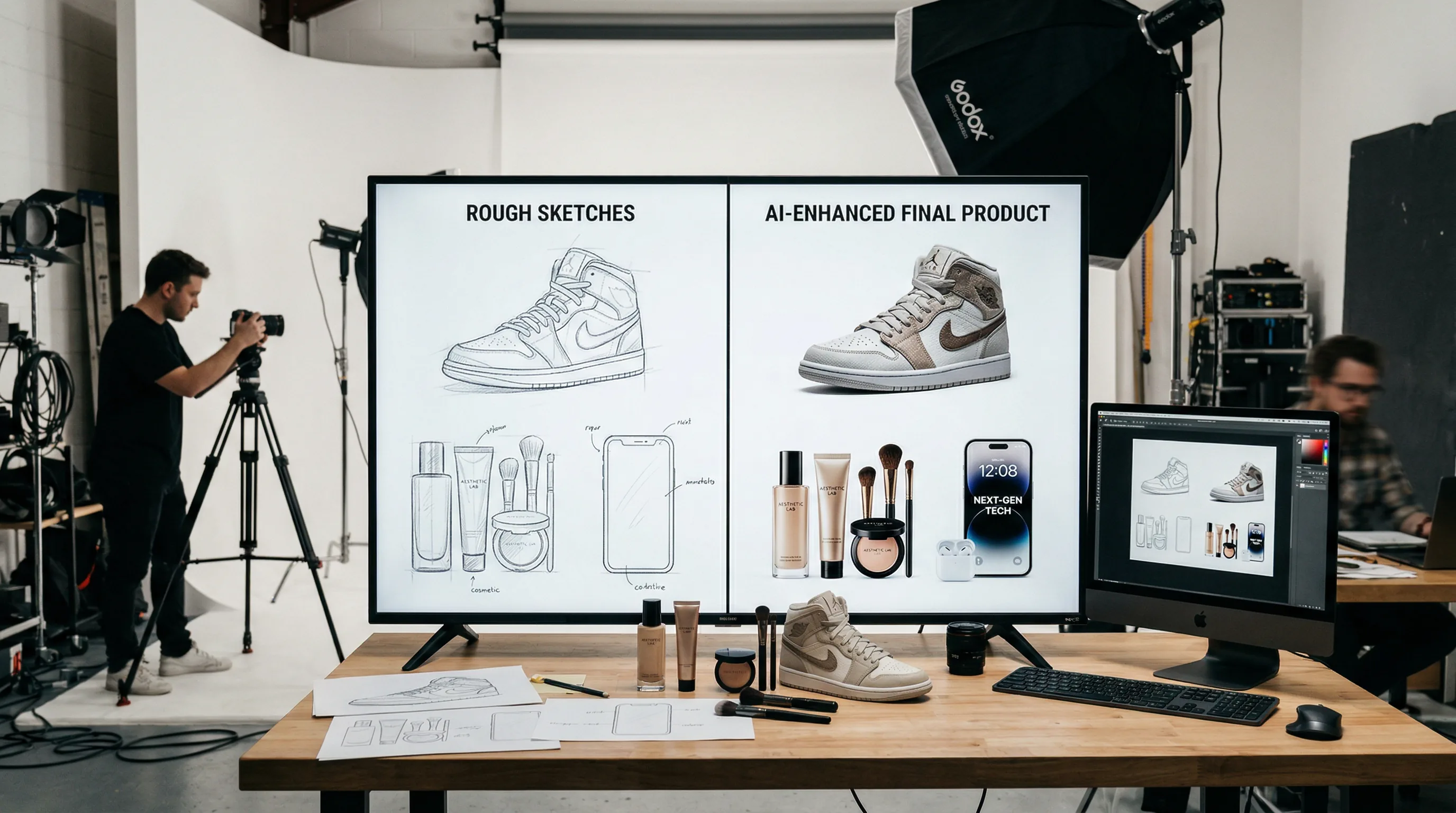
AI Product Photography: How E-Commerce Sellers Create Professional Visuals Without a Studio
AI product photography lets e-commerce sellers create studio-quality product visuals — lifestyle scenes, seasonal variations, and professional backgrounds — without a physical studio, lighting equipment, or professional photographer.

The Artifio editorial team publishes research, tutorials, and release notes covering image, video, and audio generation models. All posts are reviewed by an editor before publishing.
AI product photography lets e-commerce sellers create studio-quality product visuals — lifestyle scenes, seasonal variations, and professional backgrounds — without a physical studio, lighting equipment, or professional photographer. The cost difference is dramatic: traditional product photography runs hundreds per image, while AI-generated variations cost a fraction of that. But AI product photography only works when you know the techniques that produce results that actually convert. Here's the complete workflow.
This guide focuses on practical, revenue-driving applications: the workflows that e-commerce sellers are using right now to produce product images that look professional and perform in real sales environments.
What AI Product Photography Can (and Can't) Replace
Setting realistic expectations prevents disappointment and wasted effort.
Where AI Excels: Backgrounds, Variants, Lifestyle Shots
AI product photography works best for enhancing and extending real product photos — not replacing them entirely.
- Background generation and replacement: Take a product photo on a white background, use AI to place it in a luxury kitchen, an outdoor setting, or a holiday scene. This is AI's strongest e-commerce application.
- Color and variant visualization: Show a product in different colors, sizes, or configurations without reshooting. Perfect for products that come in multiple options.
- Lifestyle scenes: Place your product in aspirational settings that show it "in use." A candle on a cozy reading table. Sneakers on a city sidewalk. A laptop in a modern co-working space.
- Seasonal and campaign variations: Generate holiday-themed, seasonal, or promotional versions of existing product shots without reshooting.
Where Humans Still Win: Complex Products, Food, Texture
AI struggles with:
- Complex reflective surfaces: Jewelry, glassware, and metallic products with complex reflections
- Food styling: The specific art of making food look appetizing requires human touch
- Detailed texture accuracy: Fabric weave, leather grain, and material quality are hard for AI to represent accurately from imagination
- Precise brand elements: Logos, label text, and specific brand details need real product photos as the source
The best approach: hybrid. Start with a real product photo (even a smartphone shot), then use AI to enhance, place, and contextualize. This gives you the accuracy of real photography with the flexibility and cost savings of AI. According to Shopify's product photography guide, image quality directly impacts conversion rates — so the goal is professional results, regardless of method.
AI Product Photography Workflows
Four specific workflows that e-commerce sellers use daily.
Background Generation and Replacement
The foundational workflow. Start with a clean product photo (white or transparent background) and generate professional contexts:
- Photograph your product on a clean white background (a smartphone in good light works fine)
- Remove the background using an AI background removal tool
- Generate a contextual background that matches your brand and target market
- Composite the product onto the new background
- Adjust lighting, shadows, and color balance so the product looks naturally placed
Tips for natural-looking composites: match the lighting direction of your product photo to the AI background. If your product is lit from the left, generate a background with light coming from the left. Mismatched lighting is the fastest way to make a composite look fake.
Lifestyle Scene Creation
Lifestyle images show products in context — and they consistently outperform plain white-background shots for engagement and conversion. AI makes them accessible without a set designer, props, and a photo studio.
Prompt structure for lifestyle scenes: "[Product] on [surface] in [setting], [lighting description], [mood], lifestyle photography, natural and authentic"
Example: "Premium leather wallet on a dark wooden desk in a modern home office, warm afternoon light from a window on the right, sophisticated and minimal, lifestyle product photography"
Product Variant Visualization
If your product comes in 8 colors but you only photographed 2, AI can generate the remaining 6 by modifying the original photos. This dramatically reduces photography costs for products with multiple options.
The workflow: start with your best product photo, use AI to change the color/material/size while keeping the lighting, angle, and setting consistent. Verify that the AI color matches your actual product color — slight inaccuracies can cause returns.
360-Degree and Multi-Angle Views
Some AI models can generate additional angles of a product from a single photo. While not yet as reliable as shooting actual angles, this technique can supplement your existing photography with additional viewpoints.
Best used for: supplementary angles that aren't your main listing images, concept visualization before committing to a full photoshoot, and preliminary listings while professional photography is in progress.
Artifio's image models let you generate dozens of product scene variations at transparent per-image pricing — test what converts best without overspending. The ability to quickly generate and test different visual approaches means you can sharpen your listings based on data rather than guesswork.
Optimization for E-Commerce Platforms
Your AI product photos need to meet platform-specific technical and policy requirements.
Amazon and Marketplace Requirements
Amazon has specific image requirements that apply to AI-generated images too:
- Main image: Pure white background (RGB 255, 255, 255), product fills 85%+ of frame, no additional text or graphics
- Secondary images: Can include lifestyle scenes, infographics, and comparison images — this is where AI excels
- Product accuracy: Images must accurately represent the product. AI-generated lifestyle scenes are fine; AI that changes the product itself violates most marketplace policies
- Minimum resolution: 1000px on the longest side for zoom functionality
Other marketplaces (Etsy, eBay, Shopify storefronts) have their own requirements. Check each platform before publishing AI-generated product images.
Resolution and File Format Standards
Generate at the highest resolution your AI model supports. E-commerce images need to withstand zoom — low-resolution images lose customer confidence. Dial in file sizes for fast loading using appropriate compression without visible quality loss.
A/B test AI-generated images against your existing photography. Let conversion data tell you whether AI or traditional photography performs better for your specific products and audience. Many sellers find that AI lifestyle images outperform studio shots in secondary image positions.
For broader image generation techniques, see our complete AI image generation guide. For style techniques that make your product images stand out, check our visual style guide.
Seasonal and Campaign Variations
One of AI product photography's most practical advantages: generating seasonal variations without reshooting. Your summer product on a beach. Your winter product next to a fireplace. Your holiday product surrounded by festive decor. Traditional photography requires a new shoot for each seasonal campaign. AI requires a new prompt.
Build a seasonal prompt library with settings for each major retail season: spring/summer outdoor, back-to-school, fall harvest, holiday/gift, New Year fresh start, and Valentine's Day. Apply these seasonal backdrops to your entire product catalog in a single generation session, producing a full seasonal refresh in hours rather than weeks.
Measuring AI Product Photography ROI
AI product photography is only valuable if it drives revenue. Here's how to measure whether your AI images are actually working.
A/B Testing Framework
Run systematic A/B tests comparing AI-generated product images against your existing photography:
- Select 5-10 products with stable sales history as your test group
- Create AI lifestyle images for secondary image slots (keep your main product photo the same)
- Run the test for at least 2 weeks with sufficient traffic for statistical significance
- Measure: click-through rate, conversion rate, and return rate
Pay special attention to return rates. If AI images misrepresent the product — even subtly — you'll see it in higher returns. Product accuracy is non-negotiable, even when the AI images look more attractive.
Cost Comparison
Track the total cost per image for both methods:
- Traditional photography: Photographer fees + studio rental + styling + editing + reshoots
- AI-enhanced photography: Base product photo (DIY smartphone) + AI generation credits + post-production time
For most e-commerce sellers, AI-enhanced product photography costs 70-90% less per image than traditional studio photography. But the meaningful metric isn't cost per image — it's cost per conversion. If AI images convert at 90% the rate of professional photography at 20% of the cost, the ROI is overwhelming.
The real get at: AI's low cost per image lets you test more visual approaches. Instead of committing to one set of product photos for the season, you can generate and test multiple visual strategies, finding the highest-converting approach through data rather than guesswork. This iterative optimization capability is worth more than any individual image.
Frequently Asked Questions
Can I use AI for product photography?
Yes, especially for background replacement, lifestyle scenes, and variant visualization. Start with a clean product photo, then use AI to generate professional settings. Many e-commerce sellers now use AI for 50%+ of their product visuals.
Do AI product photos convert as well as real photography?
In A/B tests, AI product photos in lifestyle settings often match or outperform traditional studio shots. The key is quality — poorly generated AI images hurt conversion. Invest time in prompting for photorealistic, well-lit results.
What's the cheapest way to create product photos?
Take a clean photo of your product on a white background with your phone, then use AI to generate professional backgrounds and lifestyle scenes. This hybrid approach costs a fraction of traditional photography while maintaining product accuracy.
Can AI create product photos from scratch?
AI can generate conceptual product images, but for actual products you sell, start with a real photo. AI excels at enhancing, placing, and contextualizing real product images rather than creating products from imagination.
Are AI product photos allowed on Amazon?
Amazon allows AI-enhanced product photos as long as they meet Amazon's image requirements: accurate product representation, white background for main images, minimum 1000px resolution. AI lifestyle images work well for secondary image slots.
Create professional product visuals at a fraction of the cost. Try Artifio's AI image models and upgrade your e-commerce photography.