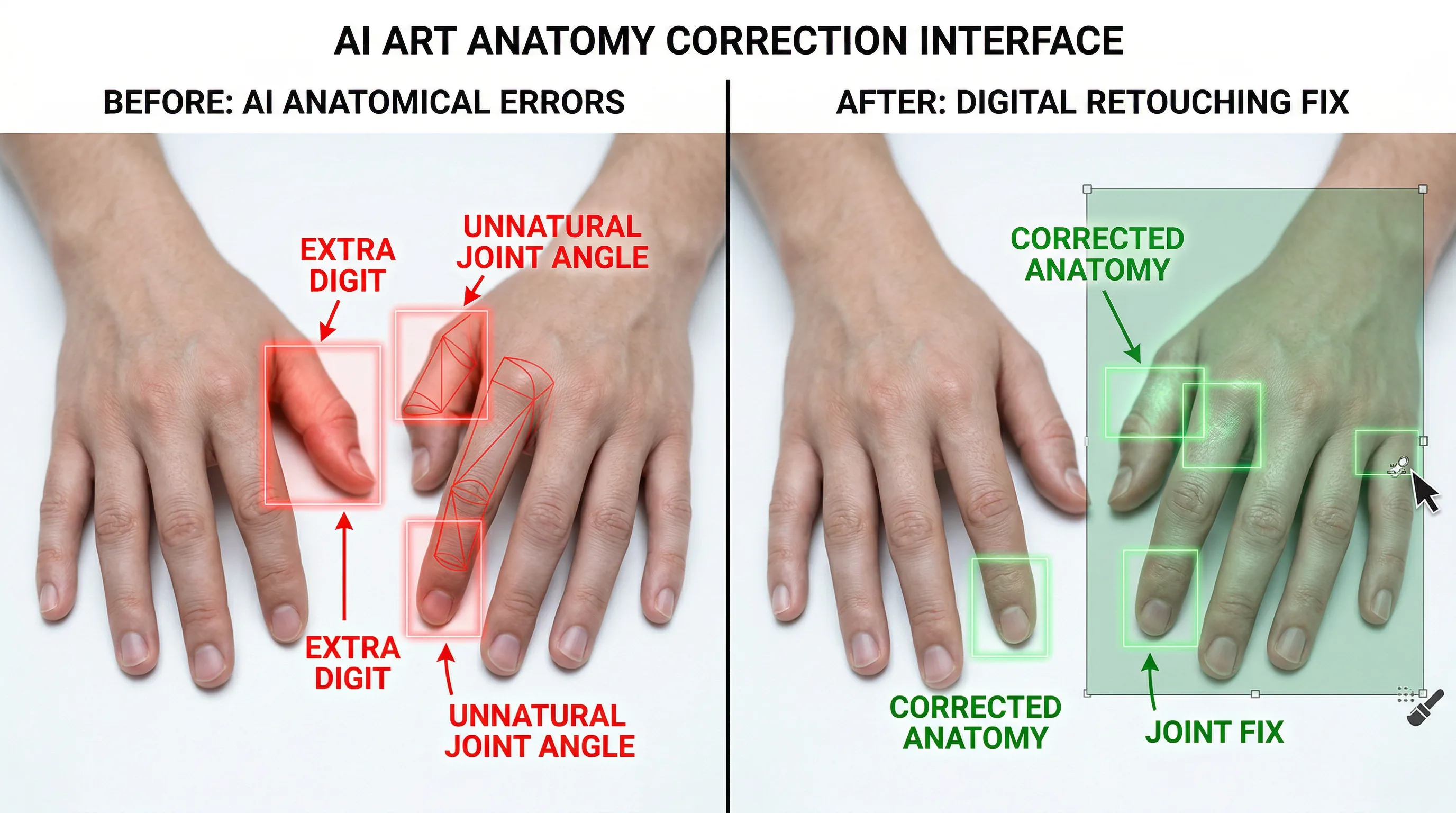
How to Fix Distorted Hands and Anatomy in AI-Generated Images
Fixing AI image hands and anatomy issues requires a combination of better prompts, smarter model selection, and targeted post-generation editing.

The Artifio editorial team publishes research, tutorials, and release notes covering image, video, and audio generation models. All posts are reviewed by an editor before publishing.
Fixing AI image hands and anatomy issues requires a combination of better prompts, smarter model selection, and targeted post-generation editing. If your AI-generated images keep producing six-fingered monstrosities, arms bending the wrong way, or faces with subtly asymmetric features, you're dealing with the most visible and frustrating limitation of current AI image technology. The good news: while no technique eliminates the problem entirely, the methods in this guide dramatically reduce how often it occurs.
Anatomy issues have improved more than any other AI image problem over the past two years. What was nearly universal in early models now happens occasionally in the latest versions. But "occasionally" still means your workflow needs a plan for when it happens.
Why AI Struggles with Human Anatomy
Understanding the root cause helps you choose the right fix.
The Training Data Challenge
AI image models learn anatomy from millions of photographs and illustrations. The problem: human bodies appear in countless configurations. Hands alone have 27 bones, dozens of possible positions, and are frequently partially hidden behind objects or other body parts. This enormous variation makes it statistically difficult for models to learn consistent anatomical rules.
Faces are easier because they have more consistent proportions — two eyes, one nose, one mouth in predictable positions. Hands are harder because five fingers can interleave, overlap, grip, point, and fold in ways that create ambiguous visual patterns.
Recent research published on arXiv in computer vision shows continued progress on anatomical consistency, with each generation of models showing measurable improvement in hand and body rendering.
Hands: The Hardest Problem in AI Art
Hands aren't just technically complex — they're visually prominent. Viewers are wired to pay attention to hands because we use them to communicate. A slightly wrong nose might go unnoticed. An extra finger immediately breaks the illusion.
The compound problem: AI models don't have a concept of "exactly five fingers." They generate what looks like a hand based on probability distributions. Sometimes that probability distribution produces six finger-like structures because the statistical boundary between "thumb" and "sixth finger" is blurry in the training data.
Prevention: Prompt Techniques That Reduce Anatomy Errors
The best fix is prevention. These prompting strategies reduce anatomy errors before they occur.
Negative Prompts for Anatomy
Build a standard negative prompt block for any image featuring people:
"deformed hands, extra fingers, fewer fingers, fused fingers, bad anatomy, wrong anatomy, extra limbs, missing limbs, floating limbs, disconnected limbs, mutation, mutated, ugly, disgusting, bad proportions, gross proportions, malformed limbs, missing arms, extra arms, extra legs, mutated hands, deformed body"
This thorough negative prompt won't prevent every issue, but it significantly reduces the frequency. Use it as your default whenever generating images with people.
Specifying Hand Positions Explicitly
Don't leave hands to chance. Specify exactly what they're doing:
- "Hands clasped behind back" — hides hands entirely
- "Right hand in jacket pocket, left hand holding a notebook" — defines each hand's position
- "Hands resting flat on the table, palms down, fingers spread" — gives the model a clear visual target
- "Arms crossed over chest, fingers tucked under arms" — minimizes visible fingers
The more specific your hand instruction, the better the result. "Person standing" leaves hand rendering entirely to probability. "Person standing with both hands in coat pockets" gives the model a clear, simple anatomical target.
Choosing Poses That Minimize Hand Visibility
When anatomical accuracy is critical, choose compositions that naturally reduce the challenge:
- Wide shots: Hands are small in wide shots, making errors less visible
- Waist-up portraits: Hands may not even appear in frame
- Objects in hands: Holding something gives the model a visual anchor for finger placement
- Crossed arms: Hides most fingers while looking natural
- Behind-the-back poses: Eliminates hand visibility entirely
Fix: Inpainting and Regeneration Techniques
When prevention fails, these post-generation techniques fix the problem.
Using Inpainting to Fix Specific Areas
Inpainting lets you mask a specific area of an otherwise good image and regenerate just that section. It's the most efficient fix for isolated anatomy issues:
- Identify the problem area (usually hands or a specific limb)
- Mask the area with your model's inpainting tool
- Write a focused prompt for just that area: "Natural right hand with five fingers, palm facing forward, well-lit"
- Generate several versions and pick the best match
Inpainting works best when the problem area is small relative to the image. A single distorted hand is an ideal inpainting candidate. A fully distorted full-body pose is better handled by regenerating the entire image.
Regeneration with Modified Prompts
Sometimes the fastest fix is generating a new version entirely. If your image has anatomy issues, try:
- Adding more specific anatomy instructions to the positive prompt
- Strengthening the negative prompt with more anatomy-related exclusions
- Adjusting the seed value slightly (keeping style consistent while changing the specific generation)
- Generating 5-10 versions and selecting the one with the best anatomy
The last approach — batch generation and selection — is surprisingly effective. In a set of 10 generations, at least 2-3 will typically have acceptable anatomy even when individual generations are hit-or-miss.
Artifio's pay-per-generation pricing makes iterative regeneration affordable — generate 10 versions and pick the best without worrying about wasted subscription credits.
Composite Approaches: Best Parts from Multiple Generations
Advanced users combine elements from multiple generations:
- Generate 5 versions of the same image (same prompt, different seeds)
- Pick the version with the best overall composition
- If hands are wrong in that version, find a version where hands look correct
- Use a photo editor to composite the good hands onto the best body
This takes more time but produces consistently professional results for high-stakes images like marketing materials or product photography.
Model Selection: Which AI Image Models Handle Anatomy Best
Not all models are equal when it comes to anatomy. Newer model versions consistently outperform their predecessors in human rendering, and some model families have invested more heavily in anatomical accuracy.
To find the best model for your needs:
- Create a standard test prompt featuring a person with visible hands
- Run the same prompt across 3-4 different models
- Generate 5 images per model (for statistical reliability)
- Score each batch on anatomical accuracy
- Use the best-performing model as your default for human subjects
Model performance varies by subject type. A model that renders hands well in portraits might struggle with full-body action poses. Test for your specific use case.
For broader image generation guidance, see our complete AI image generation guide. For text-specific issues in images, our AI image text rendering guide covers the workarounds. And for consistent character creation, check our unique visual styles guide.
The Anatomy Issue Decision Tree
When you encounter an anatomy issue, use this quick decision framework to choose the fastest fix:
- Is the issue small and isolated? (e.g., one hand has extra fingers but everything else is perfect) → Use inpainting to fix just that area. Fastest fix for isolated problems.
- Is the composition great but anatomy is wrong? → Regenerate with the same seed and a modified prompt that adds specific anatomy instructions. You'll get a similar composition with hopefully better anatomy.
- Is the whole figure problematic? → Regenerate from scratch with a different model or significantly revised prompt. Don't waste time trying to inpaint multiple major issues.
- Does the issue keep recurring across generations? → The prompt or model is the problem. Change your pose description, try a different model, or simplify the scene to reduce anatomical complexity.
This decision tree saves time by matching the fix to the severity. Most people default to full regeneration for every issue, wasting generations on problems that inpainting could solve in seconds.
As a rule of thumb: if you've regenerated the same prompt five times without getting acceptable anatomy, stop regenerating and change your approach. Either modify the prompt significantly, switch to a different model, or choose a different composition that avoids the problematic elements.
Frequently Asked Questions
Why does AI always mess up hands?
Hands have 27 bones, appear in thousands of possible positions, and are often partially occluded. This geometric complexity makes them the hardest body part for AI models to render consistently. Each new model generation improves, but it remains a challenge.
How do I get AI to generate correct fingers?
Use negative prompts ("extra fingers, deformed hands"), specify hand positions explicitly ("right hand open, five fingers visible"), and choose poses where hands aren't the focal point. Generate multiple versions and select the best.
What's the best AI model for human portraits?
It varies by style. Some models excel at photorealistic portraits while others are better for illustrated styles. Test 3-4 models with the same portrait prompt and compare anatomy accuracy, skin texture, and facial consistency.
Can I fix AI image anatomy without regenerating?
Yes — use inpainting to mask and regenerate just the problem area, or use a photo editing tool for minor fixes. For serious anatomy issues, regeneration with an adjusted prompt is usually faster than manual correction.
Are AI image anatomy issues getting better?
Significantly. Each generation of models shows measurable improvement in hand rendering and body proportions. What was a major problem in 2023 is now occasional in 2026, and the trend suggests continued improvement.
Stop fighting anatomy issues. Access the latest AI image models through Artifio and find the ones that render human subjects reliably.