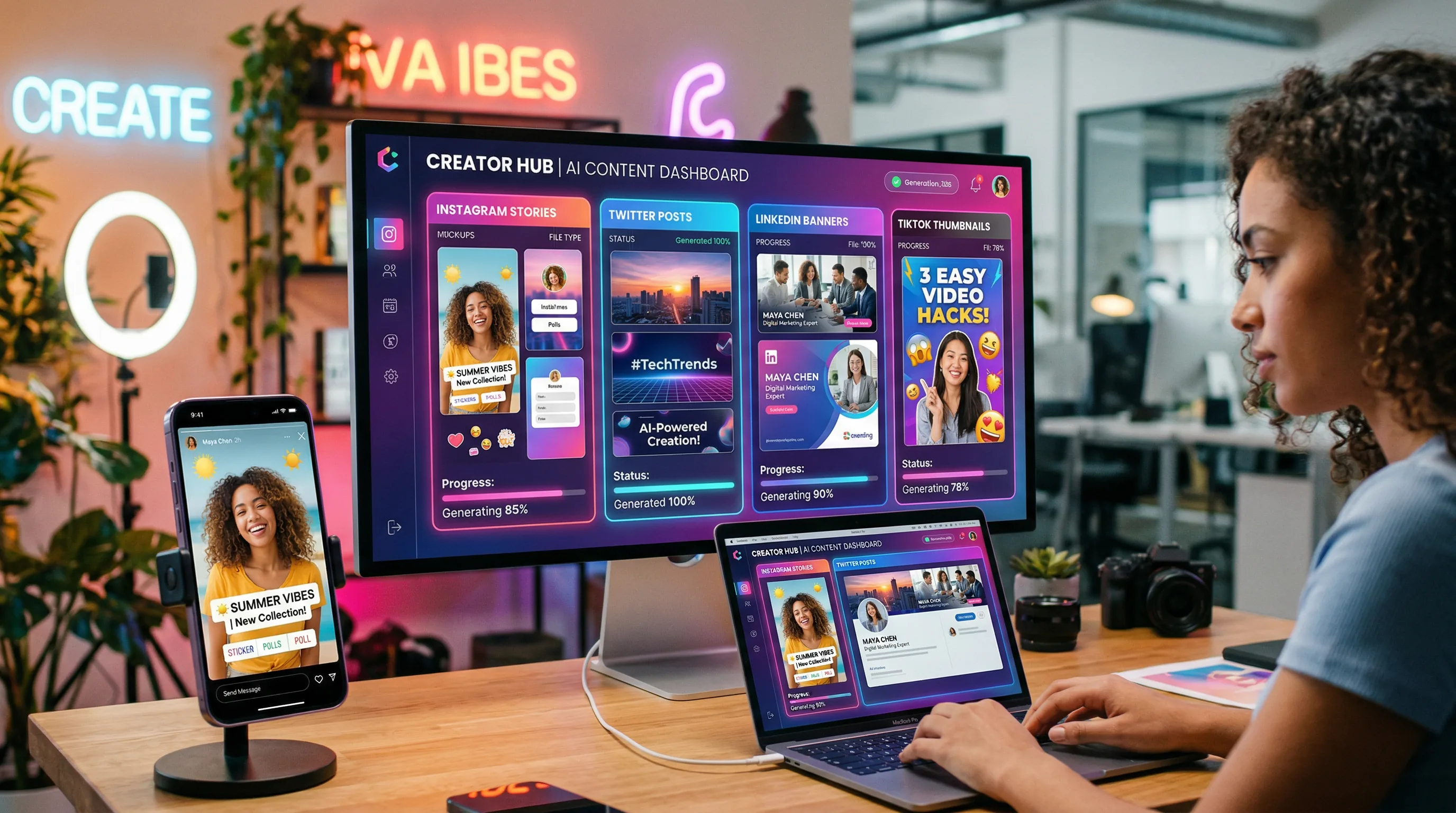
How to Create Scroll-Stopping Social Media Graphics with AI in Minutes
AI social media graphics can be created in minutes instead of hours — letting you produce unique, on-brand visuals for every post instead of recycling templates or settling for stock images.

The Artifio editorial team publishes research, tutorials, and release notes covering image, video, and audio generation models. All posts are reviewed by an editor before publishing.
AI social media graphics can be created in minutes instead of hours — letting you produce unique, on-brand visuals for every post instead of recycling templates or settling for stock images. If you're spending hours in design tools for daily social media content, or worse, posting text-only updates because you can't keep up with the visual demands, AI image generation changes the economics of social media content creation entirely.
This guide covers platform-specific approaches for Instagram, LinkedIn, Twitter/X, and Pinterest, plus workflows for batch creation and brand consistency.
Platform-Specific AI Graphics: What Works Where
Each social platform has different visual requirements, audience expectations, and algorithmic preferences. Using the right approach for each platform is the difference between scrolled-past and stopped-for. The Hootsuite social media image size guide keeps an updated reference for current platform dimensions.
Instagram: Square, Stories, and Reels Thumbnails
Instagram is visual-first. Your graphics compete directly with professional photography, curated aesthetics, and polished design. AI needs to match that quality bar.
Dimensions:
- Feed posts: 1080x1080 (square) or 1080x1350 (portrait — gets more screen space)
- Stories/Reels: 1080x1920 (vertical full-screen)
- Carousel slides: 1080x1080 per slide
Style guidance: Instagram rewards aesthetic consistency. Develop a visual style (color palette, lighting style, composition approach) and apply it to every AI-generated image. Your grid should feel cohesive when viewed as a whole.
AI tips: Generate images at 1080x1350 for maximum feed visibility. Leave space for text overlays — prompt for "clean area in upper third" or "negative space for text placement." Add text using a design tool after generation for perfect typography.
LinkedIn: Professional and Clean
LinkedIn rewards clarity over artistic flair. Graphics should enhance your professional message, not distract from it.
Dimensions: 1200x628 for link posts, 1200x1200 for single image posts, 1080x1920 for stories
Style guidance: Clean, professional, minimal. Avoid overly artistic or abstract imagery that feels disconnected from business content. Data visualizations, conceptual illustrations, and professional photography styles perform best.
AI tips: Generate "corporate editorial photography" or "clean business illustration" style images. Muted, professional color palettes outperform vivid artistic ones. Use images that directly relate to your post's content — LinkedIn users scroll fast and irrelevant imagery gets ignored.
Twitter/X: Bold and Text-Heavy
Twitter/X images need to be immediately understandable at small sizes in a fast-moving feed.
Dimensions: 1600x900 (16:9 ratio)
Style guidance: High contrast, bold elements, simple compositions. Detailed or subtle images lose impact at Twitter's display size. Think billboard design: readable in 2 seconds.
AI tips: Generate simple, high-contrast images with one clear focal point. Bold colors, large shapes, and simple compositions. Save your detailed, nuanced imagery for Instagram — Twitter rewards visual impact over artistic complexity.
Pinterest: Tall and Detailed
Pinterest is a search engine as much as a social platform. Images need to be visually appealing AND keyword-optimized.
Dimensions: 1000x1500 (2:3 ratio) — tall images get more screen real estate
Style guidance: Detailed, aspirational, informative. Pinterest users are looking for ideas and inspiration. Images that clearly show what the content offers perform best. Bright, well-lit imagery outperforms moody or dark aesthetics.
AI tips: Generate at tall aspect ratios. Include space for text overlays with your pin title. Bright, clear lighting. Think "magazine cover" or "catalog page" rather than "art gallery." Pinterest's algorithm favors fresh, original images — AI gives you that novelty at scale.
AI Social Media Graphics Workflow
Efficiency comes from systematizing your creation process.
Batch Creation for Content Calendars
Don't create graphics one at a time. Batch-create a full week (or month) of visuals in a single session:
- Review your content calendar for the upcoming period
- List every post that needs a graphic
- Group posts by visual type (quotes, tips, announcements, product features)
- Create a style prompt for each visual type
- Generate all graphics in one focused session
- Add text overlays and final touches
- Schedule everything in your publishing tool
This batch approach takes 2-3 hours for a full week of content across multiple platforms — versus spending 30-60 minutes creating each graphic individually.
Template-Based Generation
Create prompt templates for your recurring content types:
- Quote posts: "[Style] background image with [color palette], open space in center for text overlay, no distracting elements"
- Tip/how-to posts: "[Relevant conceptual illustration] in [brand style], clean composition with space for numbered text"
- Announcement posts: "Celebratory/dynamic [style] image with [brand colors], energetic mood, space for headline text"
- Product posts: "[Product category] in lifestyle setting, [brand aesthetic], natural lighting, aspirational mood"
Templates make sure consistency while allowing each post's graphic to be unique. The template stays the same; the specific subject changes for each piece.
Quick Iteration and A/B Testing
AI makes visual A/B testing affordable. Instead of committing to one graphic per post, generate 3-4 variations and test which performs best:
- Same content, different visual styles
- Same style, different color palettes
- Same concept, different compositions
- Different levels of complexity (minimal vs. detailed)
Let engagement data guide your visual decisions. After a month of testing, you'll have clear data on which visual approaches work best for each platform and content type.
Artifio's credit-based pricing means batch-generating social media graphics is surprisingly affordable — create dozens of variations without subscription waste. Generate more, test more, fine-tune based on real performance data.
Style Consistency for Social Media Brands
A random collection of AI images isn't a brand. Consistent style across all your visuals is what builds recognition and trust.
Building a Visual Identity with AI
Define your social media visual identity with these parameters:
- Color palette: 3-5 brand colors used consistently across all graphics
- Style reference: The specific artistic style, medium, or aesthetic you use
- Lighting preference: Natural, studio, dramatic — pick one and stick with it
- Composition rules: Where text goes, how much space subjects get, alignment preferences
- Mood: The emotional tone of your visuals (warm, professional, playful, bold)
Document these in a visual style guide and reference it every time you generate graphics.
Color Palette and Typography Consistency
Specify brand colors in every prompt using descriptive names or hex codes. "Navy blue and warm gold accents" produces more consistent results than just "blue and yellow."
For typography: always add text in a design tool, not in the AI image. This gives you perfect control over fonts, sizes, and spacing — and ensures your brand typography is consistent across every graphic. AI-rendered text in images is unreliable (see our guide to AI image text for why).
For deeper style techniques, see our visual styles guide. For the full context of AI image creation, our complete AI image generation guide covers everything from prompting to post-processing.
Social Media Graphics Production Schedule
Here's a practical weekly schedule that produces consistent, high-quality social media graphics without consuming your entire workweek.
Monday: Planning (30 minutes)
Review your content calendar for the week. List every post that needs a graphic. Group them by type and platform. Note any special requirements (product launches, seasonal themes, event promotions). Having a clear plan before you start generating saves significant time.
Tuesday: Batch Generation (90 minutes)
Using your prompt templates and style guide, generate all graphics for the week in one focused session. For each post, generate 3 options and immediately select the best. Save your selections organized by day and platform.
Wednesday: Text and Polish (60 minutes)
Add text overlays, brand elements, and final adjustments to all selected graphics. Export in platform-specific dimensions. Upload to your scheduling tool. This separation of generation and finishing work is more efficient than handling each graphic from start to finish individually.
Thursday-Friday: Schedule and Monitor
Posts go live according to your calendar. Monitor engagement to identify which visual approaches resonate most. Note insights for next week's planning session. This data feedback loop continuously improves your visual content strategy — each week's performance data informs next week's creative decisions.
Total time investment: approximately 3 hours per week for a full week of social media graphics across multiple platforms. Compare that to the 8-10 hours many teams spend on traditional graphic creation, and the efficiency gain becomes clear. The time you save goes directly into strategy, engagement, and growing your audience.
Frequently Asked Questions
How do I create social media images with AI?
Choose an AI image model, specify your desired dimensions and style, describe the visual you want, and generate. For text overlays, add those in a design tool after generation. Build prompt templates for each content type to speed up production.
What size should AI social media images be?
Instagram: 1080x1080 (square), 1080x1920 (stories). LinkedIn: 1200x628. Twitter/X: 1600x900. Pinterest: 1000x1500. Generate at these sizes or slightly larger and crop as needed.
Can AI replace a social media designer?
AI can handle routine graphic creation — quote cards, simple illustrations, background images — very effectively. For complex brand campaigns, custom illustrations, and strategic visual direction, human designers still provide irreplaceable value.
How many social media graphics can I create with AI per day?
With optimized prompt templates, you can generate 20-50 graphics per hour. The bottleneck shifts from creation to selection and refinement. Most creators find batch-generating a week's content in one session most efficient.
What style works best for AI social media graphics?
Clean, bold styles with strong contrast perform best on social media. Avoid overly detailed or subtle visuals that lose impact at small sizes. Test 3-4 style directions and let engagement data guide your choices.
Create a month's worth of social media graphics in one afternoon. Explore Artifio's AI image models and start building your visual content library.