AI Video Generation: How to Fix Glitches, Inconsistency, and Quality Issues
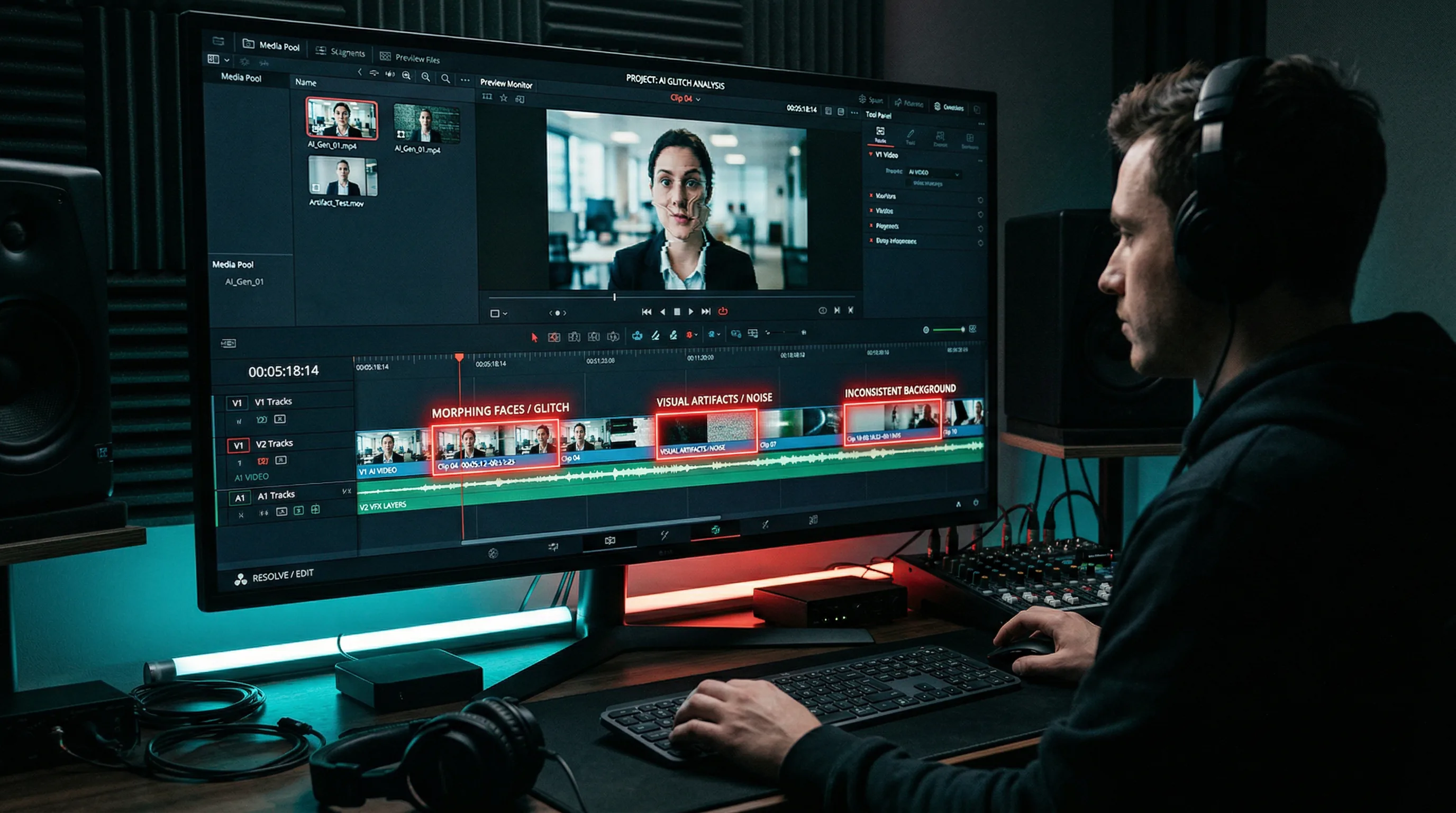
AI video generation glitches — flickering textures, morphing characters, physics-defying movements — are the primary barrier between today's technology and truly professional AI video content.

The Artifio editorial team publishes research, tutorials, and release notes covering image, video, and audio generation models. All posts are reviewed by an editor before publishing.
AI video generation glitches — flickering textures, morphing characters, physics-defying movements — are the primary barrier between today's technology and truly professional AI video content. If you've tried generating video with AI and been frustrated by characters that change appearance mid-scene, objects that float through solid surfaces, or backgrounds that shimmer and shift between frames, you're experiencing the current state of a rapidly improving but still imperfect technology. Here's how to minimize these issues and produce usable AI video.
The honest assessment: AI video in 2026 is roughly where AI images were in 2023. Impressive for some use cases, frustrating for others, and improving fast. Knowing its strengths and limitations lets you use it effectively today while the technology matures.
Common AI Video Quality Problems
Naming the problems precisely helps you apply the right fixes.
Temporal Inconsistency and Flickering
The most pervasive issue. AI video models generate each frame semi-independently, and slight variations between frames create visible flickering in textures, colors, and lighting. Skin tones shift. Wall textures shimmer. Shadows jump. The effect ranges from subtle distraction to unwatchable artifact.
Flickering is worst in areas with fine detail: hair, fabric patterns, tree leaves, and water surfaces. Solid-color areas and simple shapes tend to maintain better consistency.
Character Morphing Between Frames
A character starts with blue eyes and ends with brown. Their shirt subtly changes color over a 5-second clip. Facial proportions shift slightly between frames, creating an uncanny-valley effect. Character morphing happens because the model doesn't maintain a fixed "memory" of character attributes across frames.
Physics and Motion Artifacts
Objects pass through each other. Hair moves without wind. A walking person's feet slide across the ground instead of planting. These physics violations happen because AI video models learn visual patterns without understanding physical laws. They know what walking looks like but don't understand what walking is.
Research documented in publications like IEEE journals on video generation shows that physics-aware models are an active research area, but consumer-available tools haven't fully incorporated these advances yet.
Resolution and Detail Degradation
Longer clips show progressive quality loss. The first second looks sharp and detailed. By second five, details have softened, edges have blurred, and the overall quality has decreased. This degradation compounds with longer generation times.
Techniques for Better AI Video Output
These techniques address the root causes of quality issues, not just the symptoms.
Keep Clips Short
The single most effective quality improvement: generate shorter clips. A 3-second clip is dramatically more consistent than a 10-second clip. Frame-to-frame variation compounds over time, so shorter durations mean less accumulated error.
For most content, 3-5 second clips are the Goldilocks zone. Edit multiple short clips together in post-production for longer sequences. This approach produces far better results than trying to generate a single long clip.
Use Detailed Scene Descriptions
Vague prompts produce inconsistent video because the model fills in missing details differently for each frame. Specify everything:
- Setting: "Modern minimalist office with white walls, concrete floor, large window on the left"
- Lighting: "Soft natural daylight from the left window, no harsh shadows"
- Character: "Woman with short black hair, white blouse, sitting in a grey office chair"
- Camera: "Static medium shot, eye level, subject centered"
- Motion: "Subject slowly turns head from left to center while talking"
Every unspecified detail is a variable the model can change between frames. Reduce variables to reduce inconsistency.
Maintain Consistent Camera Angles
Static or slowly moving cameras produce far fewer artifacts than dynamic camera movements. A locked-off shot with a moving subject is more achievable than a tracking shot with a static subject. Avoid zoom transitions, rapid pans, or complex camera movements — each introduces additional inconsistency.
Prompt for Simple Movements
Simple, predictable motions generate more consistently than complex actions. "Person slowly walking forward" works much better than "person dancing energetically." "Hand reaching for coffee cup" works better than "juggling three objects."
Rule of thumb: if the motion follows a predictable arc that a viewer could anticipate, the AI can generate it more consistently. Unpredictable, complex motions require the model to make more independent frame-by-frame decisions, increasing error.
Choosing the Right AI Video Model
Model selection affects video quality as much as prompting does.
Model Comparison for Different Video Types
Different models prioritize different quality dimensions:
- Consistency-focused models: Produce smoother temporal transitions with fewer artifacts but may have less creative range
- Quality-focused models: Generate sharper, more detailed individual frames but may show more frame-to-frame variation
- Style-focused models: Excel at specific aesthetics (animation, photorealism, cinematic) but may not transfer well across styles
Artifio offers multiple AI video models in one platform — compare outputs side by side and find the model that delivers the consistency your projects need.
When to Use Image-to-Video vs. Text-to-Video
Image-to-video generation — starting from a static image and animating it — often produces more consistent results than pure text-to-video. The starting image anchors the model, reducing how much it needs to "invent" for the visual elements.
The workflow: generate a high-quality still image first (using an image model where you have more control), then use a video model to animate that image. This two-step approach gives you better control over the starting visual while leveraging video AI for motion.
Post-Production Fixes for AI Video
Even with optimized prompts and model selection, some post-production work is usually necessary.
Frame Interpolation for Smoothness
Frame interpolation software adds generated frames between existing frames, smoothing out temporal inconsistency. This can reduce flickering and create smoother motion transitions. The trade-off: it adds processing time and can introduce its own artifacts in complex scenes.
Editing Out Problem Sections
Don't try to fix every frame. If a 5-second clip has a 1-second glitch, cut the glitch and cover with a transition, B-roll, or a cut to another angle. Standard video editing techniques — jump cuts, crossfades, overlay graphics — effectively mask AI video imperfections.
Compositing AI and Traditional Elements
Hybrid approaches often produce the best results. Use AI for backgrounds and environments. Use traditionally shot footage (even smartphone footage) for foreground subjects. Combine in editing. This plays to AI's strength (setting generation) while avoiding its weakness (character consistency).
For related techniques, see our AI avatar creation guide for character-specific approaches. For the broader context of visual AI, our complete AI image generation guide covers the still-image foundation that video builds on.
Best Practices for AI Video Content Planning
The best AI video results come from careful pre-production planning — not from better prompts alone.
Storyboarding for AI Video
Create a visual storyboard before generating any video. For each clip, define: the exact scene description, camera position, character placement, lighting conditions, and the specific action that occurs. This level of pre-planning reduces wasted generations dramatically.
Your storyboard doesn't need to be artistic — rough sketches or even written descriptions work fine. The goal is to have every variable defined before you start generating, reducing the "let's see what happens" approach that wastes credits and produces inconsistent results.
Batch Generation and Selection
For each storyboard frame, generate 3-5 clip options. This batch approach is significantly more efficient than trying to get the perfect clip on the first attempt. Among several options, you'll almost always find one that meets your quality standards — and the selection process is faster than iterative re-prompting.
The economics work in your favor: generating five 4-second clips and selecting the best one takes less total time than generating one clip, evaluating it, adjusting the prompt, regenerating, evaluating again, and repeating until satisfied. The batch approach also gives you backup clips for moments when post-production editing requires alternatives.
Audio-Visual Synchronization
Plan your audio track before generating video. Generate narration or music first, then create video clips that match the audio pacing and emotional arc. This audio-first approach produces more natural, better-synchronized final content than trying to match audio to pre-generated video.
The workflow: script → audio generation → storyboard aligned to audio timing → video generation → editing and assembly. This sequence mirrors professional video production workflow and produces the most polished results from AI tools.
Frequently Asked Questions
Why does AI video flicker and glitch?
AI video models generate each frame semi-independently, leading to inconsistencies between frames. This manifests as flickering textures, morphing features, and visual artifacts. Shorter clips and simpler scenes reduce these issues significantly.
What's the best AI model for video generation?
It depends on your use case. Some models excel at photorealism, others at animation or stylized content. Test 2-3 models with your specific prompt. Multi-model platforms make this comparison easy and cost-effective.
How long can AI-generated videos be?
Most models produce best results at 3-10 seconds per clip. Longer videos should be produced as multiple short clips and edited together. Quality and consistency degrade noticeably in single-generation clips longer than 10 seconds.
Can AI generate consistent characters in video?
Character consistency across clips is challenging but improving. Using image-to-video (starting from a consistent character image) produces better results than text-to-video. Detailed character descriptions and reference images help.
Is AI video good enough for professional use?
For certain applications — social media content, concept visualization, B-roll, and stylized sequences — yes. For narrative content requiring precise character consistency and complex motion, AI video typically needs significant post-production work.
Explore AI video models from multiple providers — all in one platform. Artifio makes it easy to test, compare, and produce your best video content.